
Everything the hardware can do.
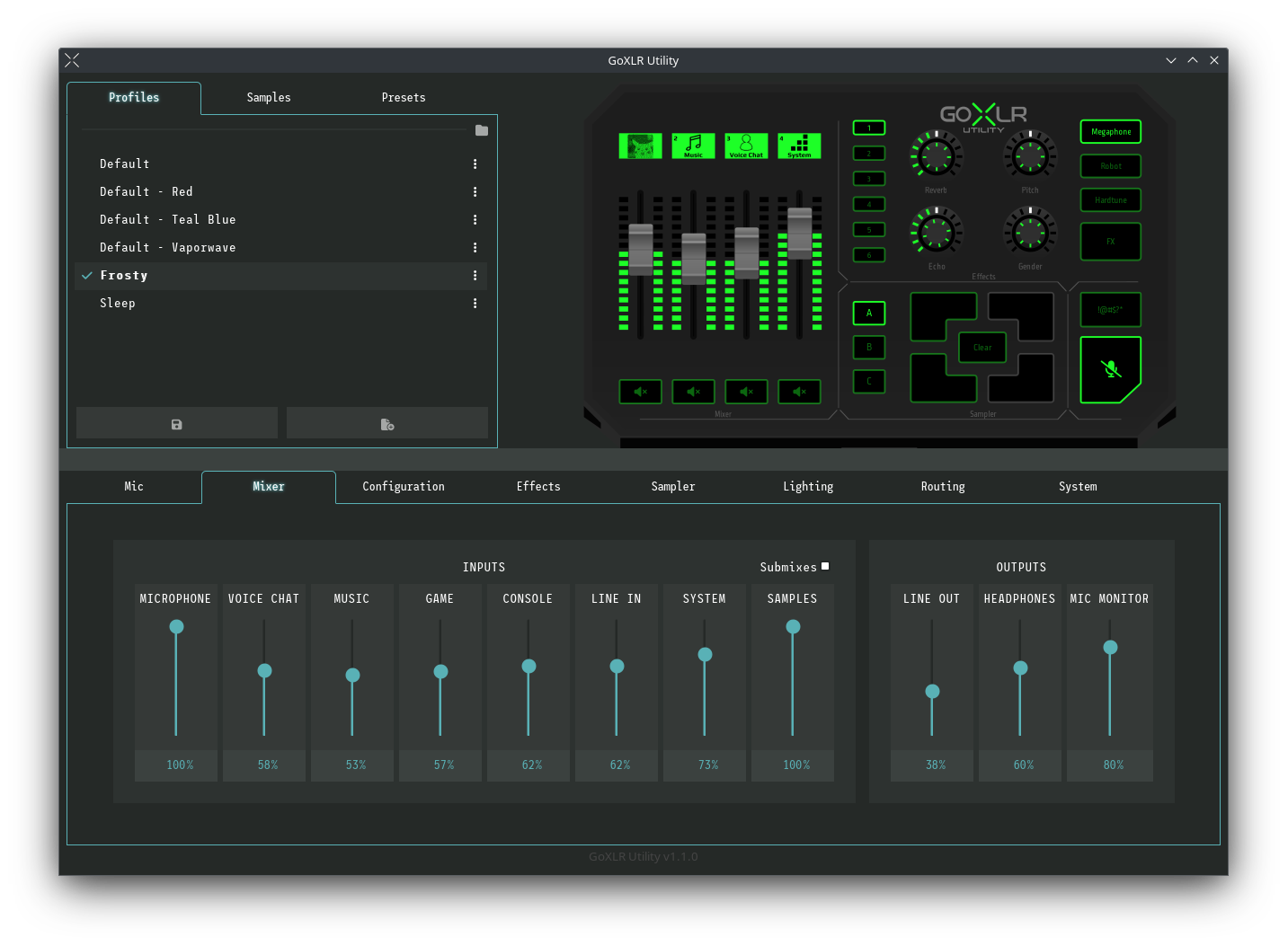
The goal of the project is parity with the official application — and in a few places it goes further.
-
Mic tuning that shows its work
Gain, gate, compressor, EQ and de-esser with live meters — set it once and hear the change as you move it.
-
Your existing profiles still work
Profile compatibility with the official GoXLR App, so years of presets come across intact.
-
Lighting, per element
Faders, buttons, the mute bank and the accent strip — colours, brightness and blink states, saved into the profile.
-
Scriptable: CLI, API and Stream Deck
Drive every control from the command line or over the local API. There’s an official Stream Deck integration too.
-
Two devices, one window
Multiple device support, plus remote network access when the GoXLR lives on another machine.
-
Sample pre-buffer
The sampler keeps a rolling buffer, so you can capture the thing that just happened rather than the thing about to.
-
Accessible by design
The interface is built to work with assistive technology — a stated goal of the project, not an afterthought.
-
Exit actions
Decide what the device should do when the Utility closes, instead of leaving your lighting and mutes mid-session.
Written in Rust, licensed MIT.
Roughly 97% of the codebase is Rust. The daemon does the talking to the device; the UI, the CLI and the Stream Deck plugin are all just clients of the same local API — which means anything the app can do, a script of yours can do too.